
Designing game UI for a thumb
On Divine Rush, my iPhone game, the button layout came from counting presses, not from deciding which power sounded most important.

Divine Rush is the iPhone game I'm building in Unity: a little angel archer, a squad of wingmates, and a sky full of slimes. It's a side project, but it has taught me more about interface design than most client work, because a game punishes a bad layout in under a second.
Four buttons, all the same size
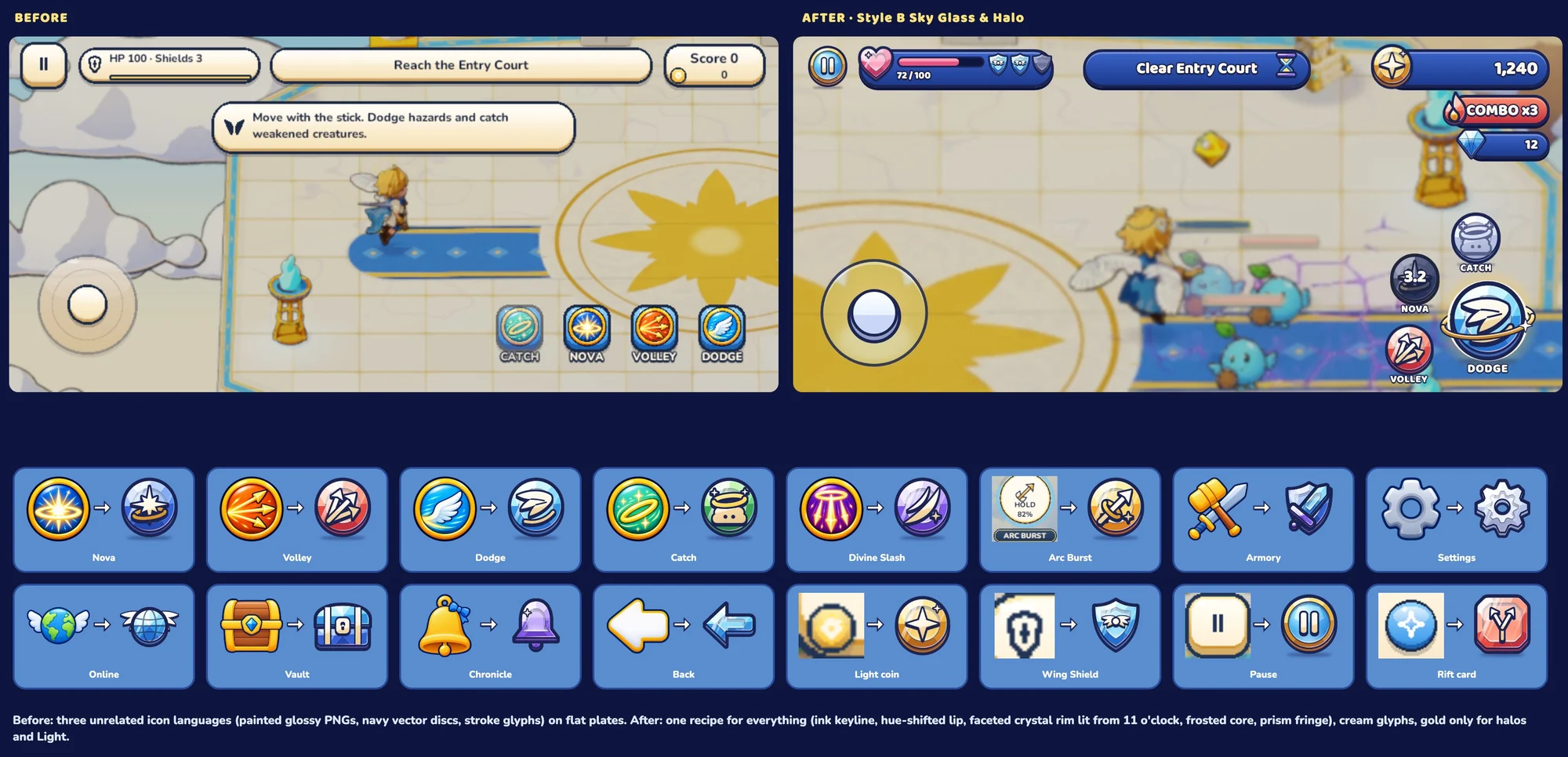
The first HUD had four power buttons in a row: Dodge, Volley, Nova and Catch. Same size, evenly spaced, tidy. It looked like a design system.
It played terribly. The row spread across almost 40% of the screen width, and the button players need least, Catch, sat furthest from the thumb.
Count the presses first
So I stopped arranging and started counting. Using the cooldowns in the game code and the timing of enemy attacks, I worked out how often each power is actually pressed in a minute of a boss fight:
| Power | Share of presses | Why |
|---|---|---|
| Dodge | 69% | The only action with a sub-second window |
| Volley | 19% | Fired every time it's ready |
| Nova | 11% | The panic button when surrounded |
| Catch | 1% | About once per run |
One button does two-thirds of the work. That's not a row of equals, that's a primary action with three helpers.
Let Fitts decide the rest
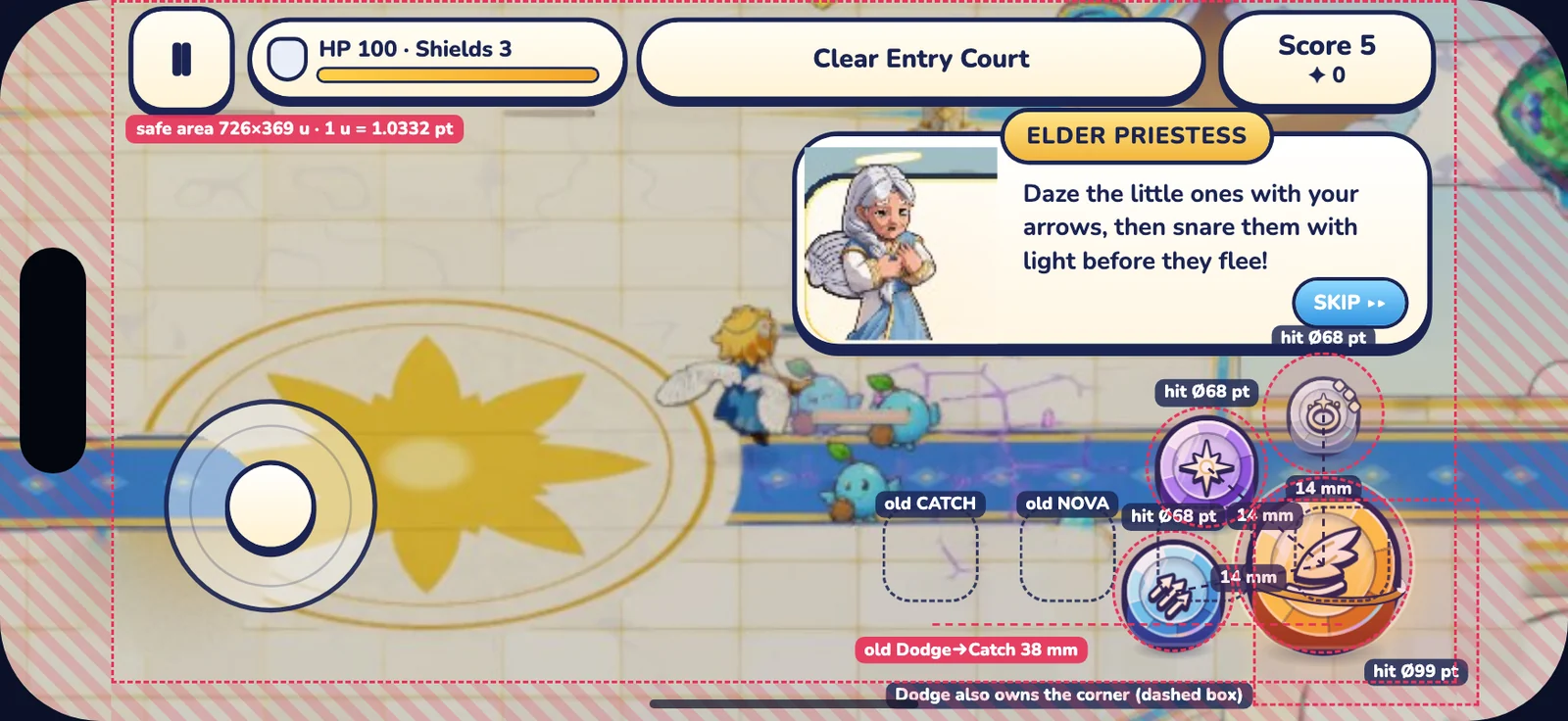
Dodge became the big button in the corner, right under the resting right thumb. The other three sit on an arc about 14 mm away, in order of use. Catch rests as a small bead and only grows into a full button while a creature can actually be caught.
Fitts' law puts a number on it. Moving from Dodge to Catch went from 2.16 bits of difficulty to 1.16. Volley, the second most used, barely changes: it was already close.
Gold appears once on screen, as a halo around the best move right now. Everything else stays calm.
One button language, every state
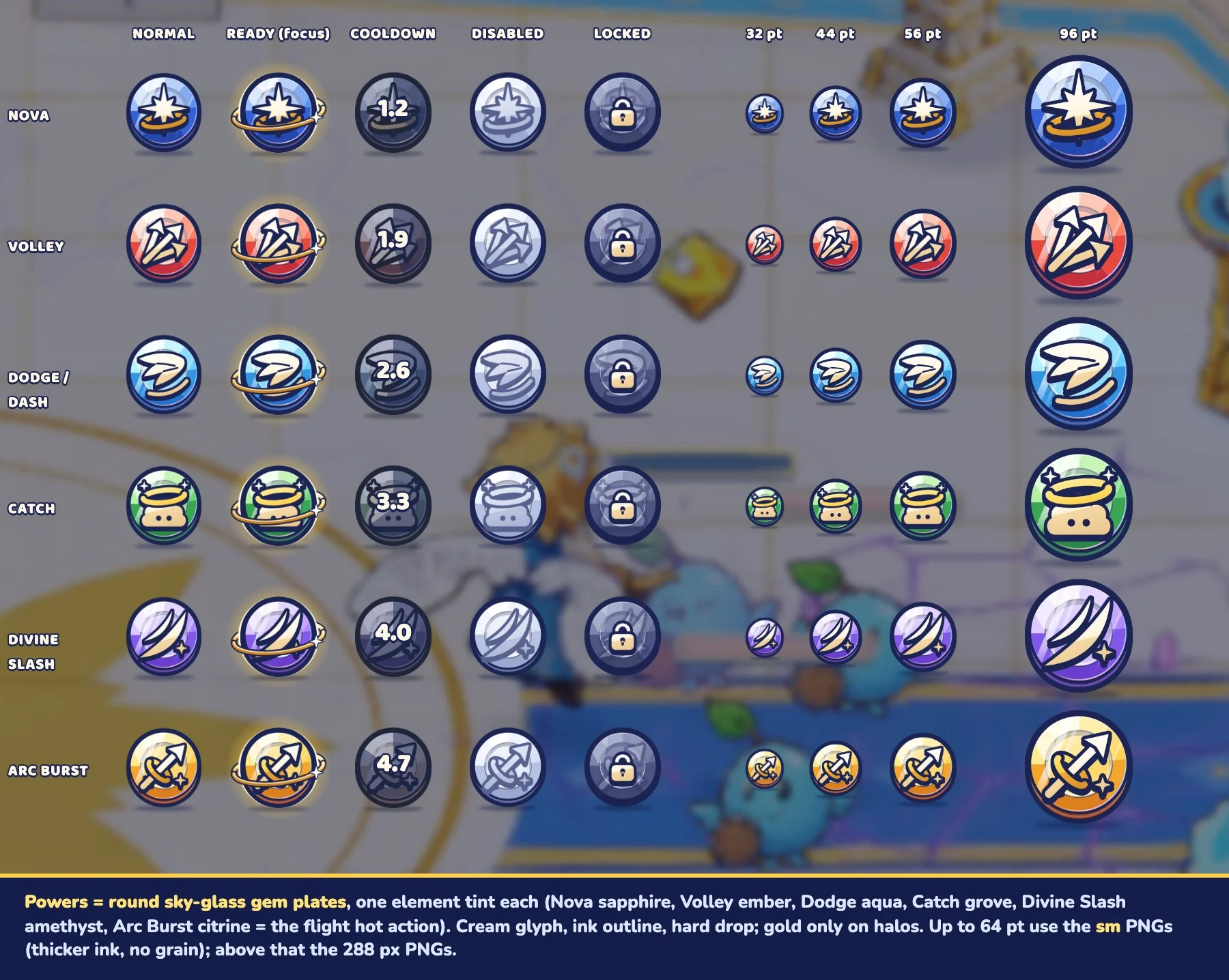
Once the layout was right, the buttons needed to tell you their state without words: ready, cooling down, disabled, locked. Every power got the same recipe in five states and four sizes, so a new power never needs a new design.
A few rules I now use everywhere, not just in games:
- Answer in 100 ms. The press finishes inside a tenth of a second. Nothing waits for an animation.
- Press like you mean it. The old press scaled to 0.97, which nobody can feel. It now goes to about 0.93 with a small overshoot on release.
- Disabled is not locked. Disabled shakes and tells you why. Locked shows a plate and unlocks with a moment.
- Respect reduced motion. Scale and trails become colour changes; sound and haptics stay.
What carries over
None of this is really about games. A checkout, a clinical dashboard and a boss fight have the same question underneath: what does this person press most, and how far does their hand have to travel? Count first, then design.